
HDR10 versus Dolby Vision: what do you actually see on your television?
From brightness and bit depth to dynamic metadata, tone mapping and the best settings for an OLED television.
Many modern televisions support HDR. When you play a film, you may see a label such as HDR, HDR10, Dolby Vision or HLG. Those names might seem to describe picture quality alone, but each format has a different way of conveying brightness, colour and contrast to the screen. Which is better in practice? And when can you really see a difference?
This article goes beyond a list of specifications. We examine how HDR works, what information the source sends to a television and why a well-configured HDR10 picture can sometimes look better than a poorly configured Dolby Vision mode. We use the LG OLED65GX6LA, an OLED television supporting HDR10, Dolby Vision IQ and HLG, as a practical example. The principles also apply to other televisions. [1][2][3]
Short answer: Dynamic metadata gives Dolby Vision a technical advantage when a TV must adapt bright highlights and deep shadows to its own panel. But mastering quality, the OLED or LCD panel, settings and stream quality matter at least as much. Dolby Vision is no guarantee that every scene looks better than HDR10.
Contents
- What is HDR, and why is 4K different?
- How brightness in nits and shadow detail work
- HDR10: the universal HDR baseline
- Dolby Vision: the dynamic approach
- The differences in one table
- Tone mapping and metadata: where is the benefit?
- 8-bit, 10-bit, 12-bit and colour gamut
- HDR10+, HDR10+ Advanced and HLG
- What really makes a difference in the living room?
- Streaming, UHD Blu-ray and source quality
- HDMI, compatibility and automatic switching
- Games: HDR10, HGiG and Dolby Vision
- The LG OLED65GX6LA as a practical example
- Common problems and solutions
- Six HDR misconceptions
- Conclusion and practical checklist
- Sources and further reading
1. What is HDR, and why is 4K different?
4K is about the number of pixels. HDR is about the information in those pixels. A 4K image normally contains 3840 × 2160 pixels. That says nothing about how bright the sun may appear, how much detail remains visible in dark clothing or how saturated a bright-red neon sign can be. HDR (High Dynamic Range) expands the possibilities for light and colour compared with traditional SDR video.
In common consumer applications, SDR (Standard Dynamic Range) uses the Rec.709 colour space and generally 8-bit signals. HDR distribution often uses a BT.2020 colour container with 10-bit information and a different brightness curve. In practice, much HDR content is mastered within DCI-P3 colour boundaries and then packaged in a BT.2020 signal. More colour range and brightness information can make scenes look much more natural, even if resolution stays the same. [1][4]

An important nuance: HDR does not mean that the whole screen must remain extremely bright. The aim is control over the difference in brightness. A dark interior can stay dark while a candle, window or light reflection stands out convincingly. The most successful HDR films can even look fairly dark on average.
What does EOTF mean?
An EOTF (Electro-Optical Transfer Function) describes how an encoded video value becomes actual light on the screen. Many HDR formats use PQ (Perceptual Quantizer, SMPTE ST 2084), whose values relate to absolute light levels. Ordinary SDR video uses a different gamma or transfer curve. The ITU defines the basis for HDR television in BT.2100, including PQ and HLG. [4]
2. How brightness in nits and shadow detail work
A nit is one candela per square metre (cd/m²). It is a unit of luminance: how much light a screen surface emits in a particular direction. Display engineering uses it because the difference between, for example, 100 and 800 nits directly affects how much brightness headroom a TV has.
For reference viewing in dark conditions, SDR is often evaluated at around 100 nits. A modern HDR television can produce significantly higher peaks, especially in small highlights. A reflection of sunlight on metal or glass can then stand out against an otherwise dark shot. A TV capable of 700 nits does not therefore become 700 nits bright everywhere. Actual light output also depends on the size of the bright area and the panel’s power limits.

Shadow detail matters too. OLED pixels can switch off individually, making true black possible. But incorrectly configured signal transfer or tone mapping can fail to show the difference between near-black and absolute black. This is sometimes called black crush: subtle shadow information disappears into one dark patch. Conversely, an incorrect setting can make black look grey, or raised black.
The combination of a low black level and sufficient brightness headroom shapes the HDR impression more than a single impressive peak-nits figure.
3. HDR10: the universal HDR baseline
HDR10 is the most widely supported HDR video standard for films, series and many games. It generally uses a 10-bit video signal, PQ as its brightness curve and a BT.2020 container. The ‘10’ refers to 10-bit encoding: 1024 gradations are possible per colour channel, yielding theoretically more than a billion combinations across three channels.
Its defining characteristic is static metadata. In an HDR10 chain, this information can describe the reference display on which a production was mastered and, in certain statistical terms, how much light the video contains. Common values include:
- Mastering display metadata: the reference display’s colour primaries, white point and brightness limits.
- MaxCLL: the maximum peak-light value of a pixel in the content, if recorded.
- MaxFALL: the maximum average light level of a complete video frame, if recorded.
Not every production contains reliable MaxCLL or MaxFALL values. Nor does metadata instruct the TV to process every HDR frame identically. An HDR10 television can also perform its own internal dynamic tone mapping, based on picture analysis. That differs from dynamic metadata supplied by the content. [2][5]
Strengths of HDR10
HDR10 has broad compatibility, appears on many streaming services, is common on Ultra HD Blu-ray and features in many games. On a display with good tone mapping, a correctly mastered HDR10 film can already be impressive. It requires neither a Dolby Vision licence nor a special Dolby Vision signal chain.
The limitation
When a film alternates very bright and very dark scenes, HDR10 does not provide separate, creator-supplied tone-mapping guidance for each scene. The TV must decide for itself how to fit all that brightness information within its available range.
4. Dolby Vision: the dynamic approach
Dolby Vision is also a PQ-based HDR system, but adds dynamic metadata. That metadata can be prepared for each shot and, in particular workflows, for each frame. It helps a television adapt a professional master to its own panel. Dolby calls this content mapping. [2][6]
This is useful because a film may be mastered on equipment with greater peak brightness than a television at home can achieve. A master containing elements up to, say, 1,000 or 4,000 nits must be displayed on an OLED capable of only a few hundred nits without losing all the brightest detail.
With Dolby Vision, a colourist can also supply creative adjustments for different target brightness levels. The result is therefore not merely an automatic algorithm: the workflow allows deliberate tuning by the creator. Actual processing still depends on the Dolby Vision version, source, television and implementation. [6]
Is Dolby Vision automatically more attractive?
No. Metadata supplies additional information, not a guarantee that footage was better photographed or mastered. A poor stream remains a poor stream even when the Dolby Vision logo appears. And if an HDR10 TV has excellent tone mapping of its own, differences may be small. The two renditions can look virtually identical in an ordinary scene.
What is Dolby Vision IQ?
Dolby Vision IQ is not a new video-file format. It is a set of display functions that can combine Dolby Vision metadata with ambient-light information and, where supported, content-type information. The aim is to adapt the presentation when, for example, sunlight enters the living room during the day. [7]
That sounds appealing, but someone who wants a fixed, film-faithful picture will often choose a Cinema preset without strong dynamic ambient-light correction in the evening. Dolby Vision IQ is particularly interesting when lighting conditions really change substantially.
5. The differences in one table
| Characteristic | HDR10 | Dolby Vision |
|---|---|---|
| Basic technology | HDR with PQ | HDR with PQ and additional Dolby processing |
| Metadata | Static, for the production | Dynamic, by shot or frame depending on workflow |
| Distribution bit depth | 10-bit | Can contain 10-bit or 12-bit processing and information, depending on profile |
| Typical consumer displays | Often a 10-bit panel | Also often a 10-bit panel |
| Tone mapping | By the TV, possibly with its own dynamic analysis | By the TV using Dolby Vision metadata and content mapping |
| Support | Very widespread | Compatible devices and content only |
| Licensing | Open baseline HDR technology | Licensed Dolby technology |
| Practical advantage | Reliable, broad compatibility | More guidance for varying scenes |
| Guaranteed better picture? | No | No |
The table compares the formats, not the quality of every TV or film. Dolby Vision’s theoretical 12-bit advantage does not mean that an ordinary 10-bit OLED can directly display 68 billion distinct colours. [2][5]
6. Tone mapping and metadata: where is the benefit?
Imagine an HDR film showing a room with a softly burning lamp, then a brightly sunlit snowy mountain landscape, followed by a night-time city with neon lights. The creator designed those scenes for a reference display, but your television has its own brightness limits. Tone mapping is the translation by which the display preserves the relative brightness of the picture within its physical capabilities.
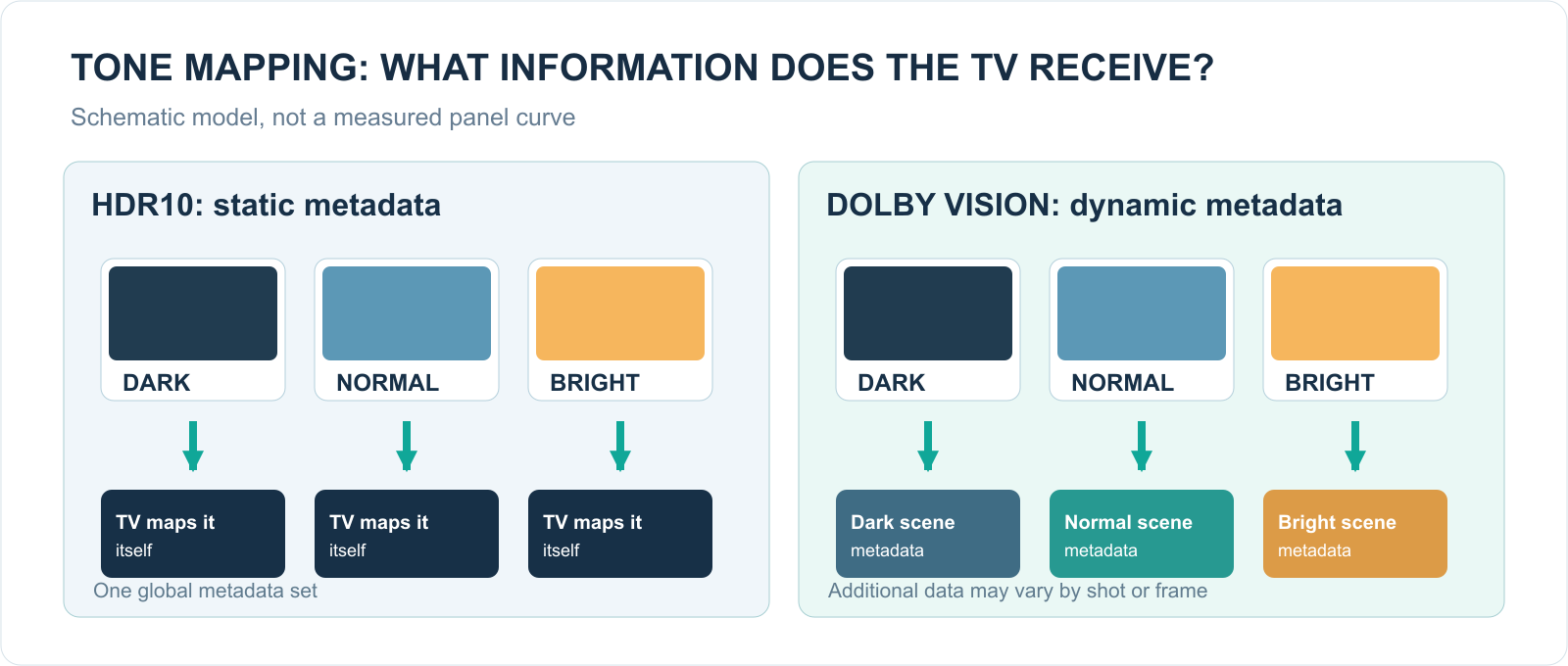
With HDR10, the metadata may be global, but the screen may still analyse the picture scene by scene. The manufacturer determines its approach. With Dolby Vision, additional scene information arrives with the content and can help adapt the presentation to the screen.
What happens without good tone mapping?
Three effects stand out:
- Highlight clipping: texture in bright clouds, lamps or snow disappears into uniform white areas.
- Loss of midtones: faces and interiors become too dark when the TV reserves too much brightness headroom for peaks.
- Lost shadow detail or unnatural black levels: texture just above black becomes invisible or, conversely, raised.
Good tone mapping seeks a useful compromise between these effects without unnecessarily changing the film’s appearance. Dolby Vision can help, but any quality difference always depends on the complete signal chain.
7. 8-bit, 10-bit, 12-bit and colour gamut
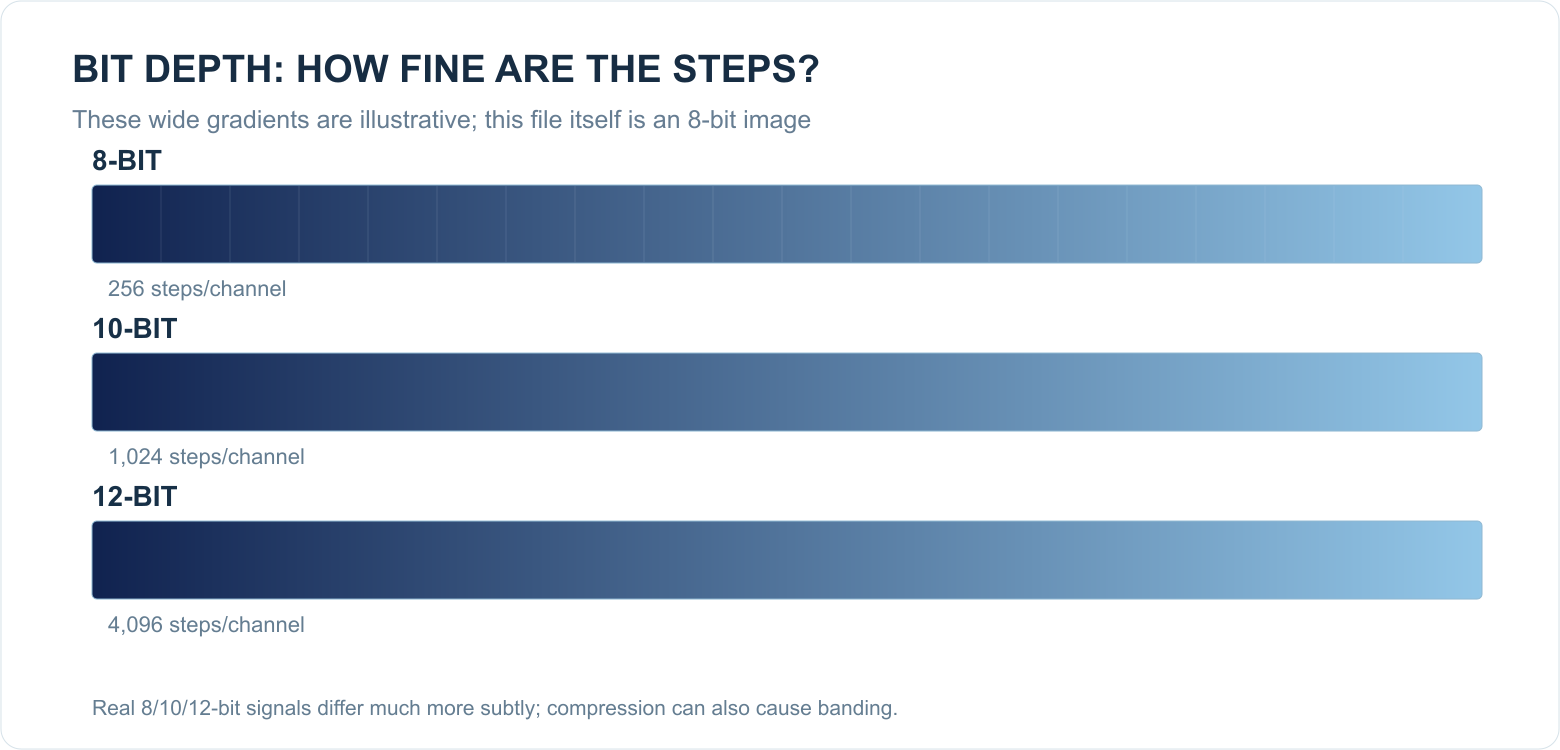
These terms are often confused. Bit depth describes how many steps a channel can represent; colour gamut describes which colours fall within the agreed colour triangle at all. Peak brightness is a third, separate property. A format that supports 12-bit on paper does not therefore automatically produce brighter colours or a physically wider colour volume on a given TV.
| Encoding | Steps per channel | Theoretical RGB combinations |
|---|---|---|
| 8-bit | 256 | 16.7 million |
| 10-bit | 1,024 | 1.07 billion |
| 12-bit | 4,096 | 68.7 billion |
Most consumer OLED televisions, including the LG GX generation, do not have a native 12-bit panel. Nor are Dolby Vision streams necessarily 12-bit video files. On Ultra HD Blu-ray, Dolby Vision Profile 7 can use an HDR10 base layer and a second layer containing dynamic metadata and, in certain implementations, additional video data. Profile 5 is common in streaming. It is therefore wrong to say simply that ‘Dolby Vision is always 12-bit’. [5]
The benefit of 10-bit over 8-bit can appear in subtle transitions such as a twilight sky or a softly lit wall. Banding (visible steps rather than a smooth gradient) can also result from heavy compression, incorrect settings, source material or picture processing.
8. HDR10+, HDR10+ Advanced and HLG
There is more than HDR10 and Dolby Vision. HDR10+ combines the broad HDR10 baseline with dynamic metadata. In that sense it works similarly to Dolby Vision: information for each scene or frame helps the TV with tone mapping. HDR10+ is backward compatible; an HDR10 display ignores the extra metadata and displays HDR10. [8]
HDR10+ has a different licensing and certification ecosystem from Dolby Vision. As a result, not every manufacturer supports the same formats. For consumers, no single brand name settles the matter: check whether the content, player and screen actually support the format.
HDR10+ Advanced was announced in 2025 and further developed in 2026. It adds features such as local tone mapping, more extensive brightness information and content-oriented metadata. This recent extension does not mean that existing HDR10+ or Dolby Vision TVs automatically support all the new capabilities. It does not change the formats supported by your LG GX. [9]
HLG (Hybrid Log-Gamma) is particularly relevant to live broadcasts and television production. It uses a different brightness concept from the PQ formats and was developed with broadcasting and practical compatibility in mind. HLG sits alongside HDR10 and Dolby Vision in the BT.2100 standards family. [4]
| Format | HDR curve | Metadata for per-scene adaptation | Common use |
|---|---|---|---|
| HDR10 | PQ | No, static HDR metadata only | Films, series, games |
| Dolby Vision | PQ | Yes | Streaming, UHD Blu-ray, some games |
| HDR10+ | PQ | Yes | Streaming, UHD Blu-ray, supported games |
| HLG | HLG | No additional HDR10/DV metadata required | Broadcasting and live video |
9. What really makes a difference in the living room?
Imagine two televisions side by side: an older LCD with weak local dimming but Dolby Vision, and a high-quality OLED with good HDR10 tone mapping. The OLED can look more impressive despite the ‘simpler’ format. That is because the panel determines what can actually be seen.
In practice, these factors carry considerable weight:
- Panel contrast and local dimming: how well can the screen show bright and dark areas simultaneously?
- Peak brightness and brightness over larger areas: a small test window is not the whole story.
- White-balance and EOTF accuracy: does the TV follow the intended brightness curve?
- Colour volume: do saturated colours remain intact at higher brightness?
- Video source and compression: is the detail actually present in the stream?
- Picture mode and room light: a preset that is too bright or too dark can undermine the benefit.
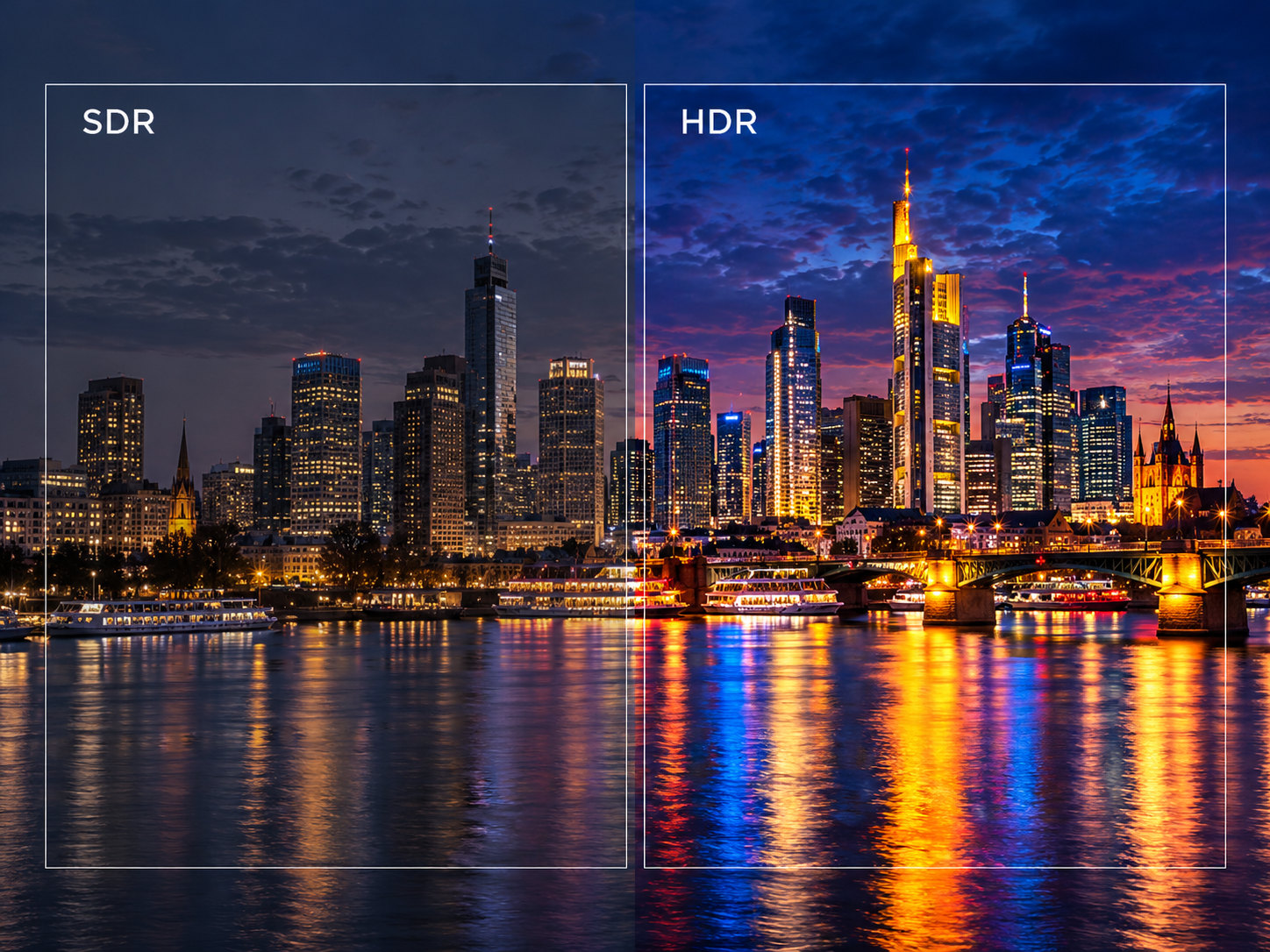
An honest experiment therefore uses the same title, the same mastering, the same viewing conditions and the same television. Do not compare a heavily compressed HDR10 stream with a Dolby Vision UHD Blu-ray: that also tests bitrate and encoding.
10. Streaming, UHD Blu-ray and source quality
Streaming services may offer 4K, HDR10, Dolby Vision and sometimes HDR10+, but the combination actually available depends on subscription, title, app and device. Netflix, for example, says the quality labels shown refer to what can be played on your device. A Dolby Vision icon next to a title does not mean every other device receives that version. [10]
Streaming
With a TV’s built-in app, there is little scope for cable problems: the video decoder and screen are in the same device. Actual quality then mainly depends on the app, subscription, supplied video stream, network connection and TV processing. A good UHD stream can be excellent, but dynamic compression can damage detail in mist, dark skies or fast scenes.
Ultra HD Blu-ray
A UHD Blu-ray often offers a considerably higher video bitrate and can therefore preserve more fine texture. Dolby Vision on disc uses different profiles from many streaming versions. That makes a suitable player important. HDR10 is the widely available HDR baseline; Dolby Vision is used only if both disc and player support it. [5]
Why a Dolby Vision logo does not tell the whole story
One series may be mastered entirely differently from another. A streaming version may also have a different grade or encode from the disc. Source quality comes before the marketing name of the HDR format.
11. HDMI, compatibility and automatic switching
For an external source, the entire chain matters: streaming box, UHD player or console → HDMI cable → any receiver or switch → television. A Dolby Vision-capable device may lose that capability if an intermediate device cannot pass the appropriate signal. The system may then fall back to HDR10 or even SDR.
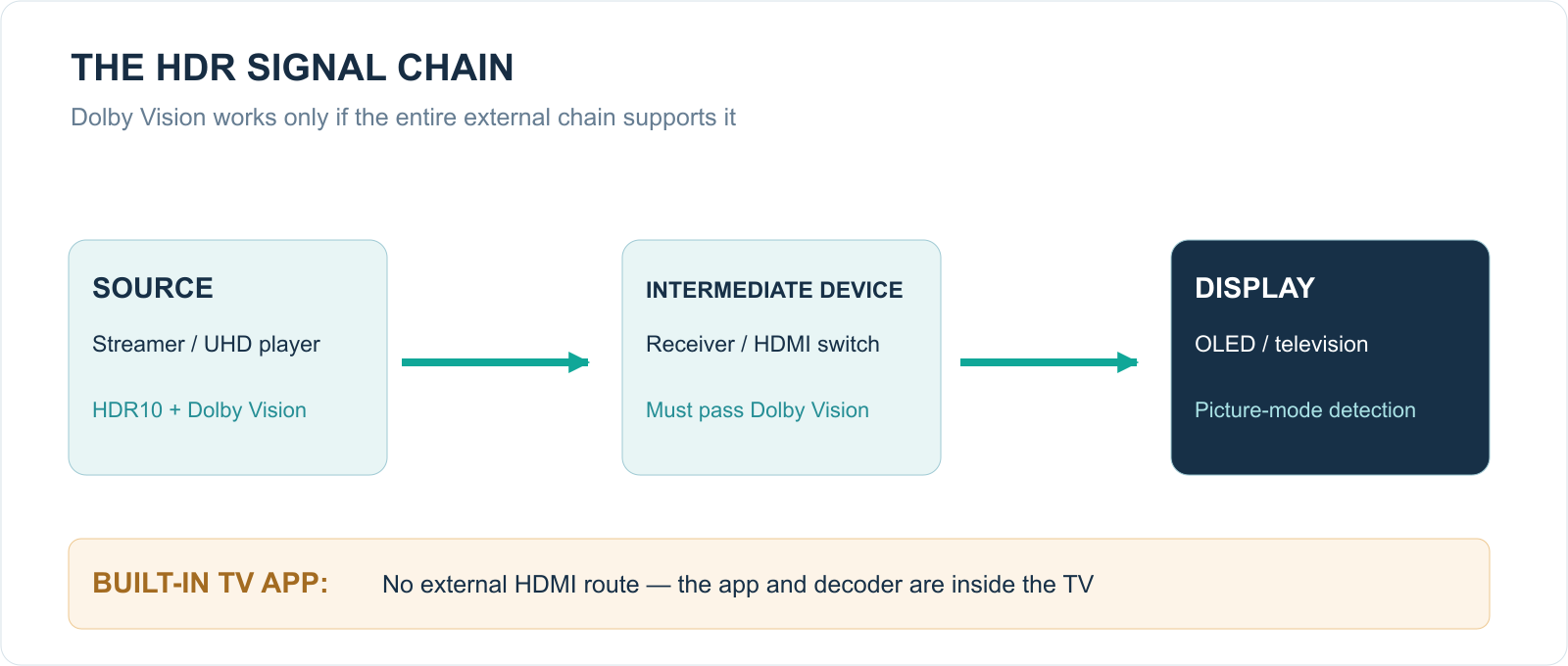
A common misconception is that every Dolby Vision film needs HDMI 2.1. It does not. Many ordinary 4K60 HDR and Dolby Vision applications work over HDMI 2.0-class connections if all relevant signal formats are supported. 4K120 gaming has higher bandwidth demands and separate device limits. The exact Dolby Vision transport scheme and supported modes matter more than the connector version number alone.
Check HDMI signal settings such as Ultra HD Deep Color, Enhanced Format or similar names, and confirm that HDMI black level is matched automatically and correctly. An incorrect limited/full RGB range can produce grey blacks or crushed shadows.
12. Games: HDR10, HGiG and Dolby Vision
Many HDR games are designed around HDR10 or an HDR10-like pipeline. On consoles, HDR calibration, the peak brightness expected by the game and the television’s tone mapping are at least as important as the format name.
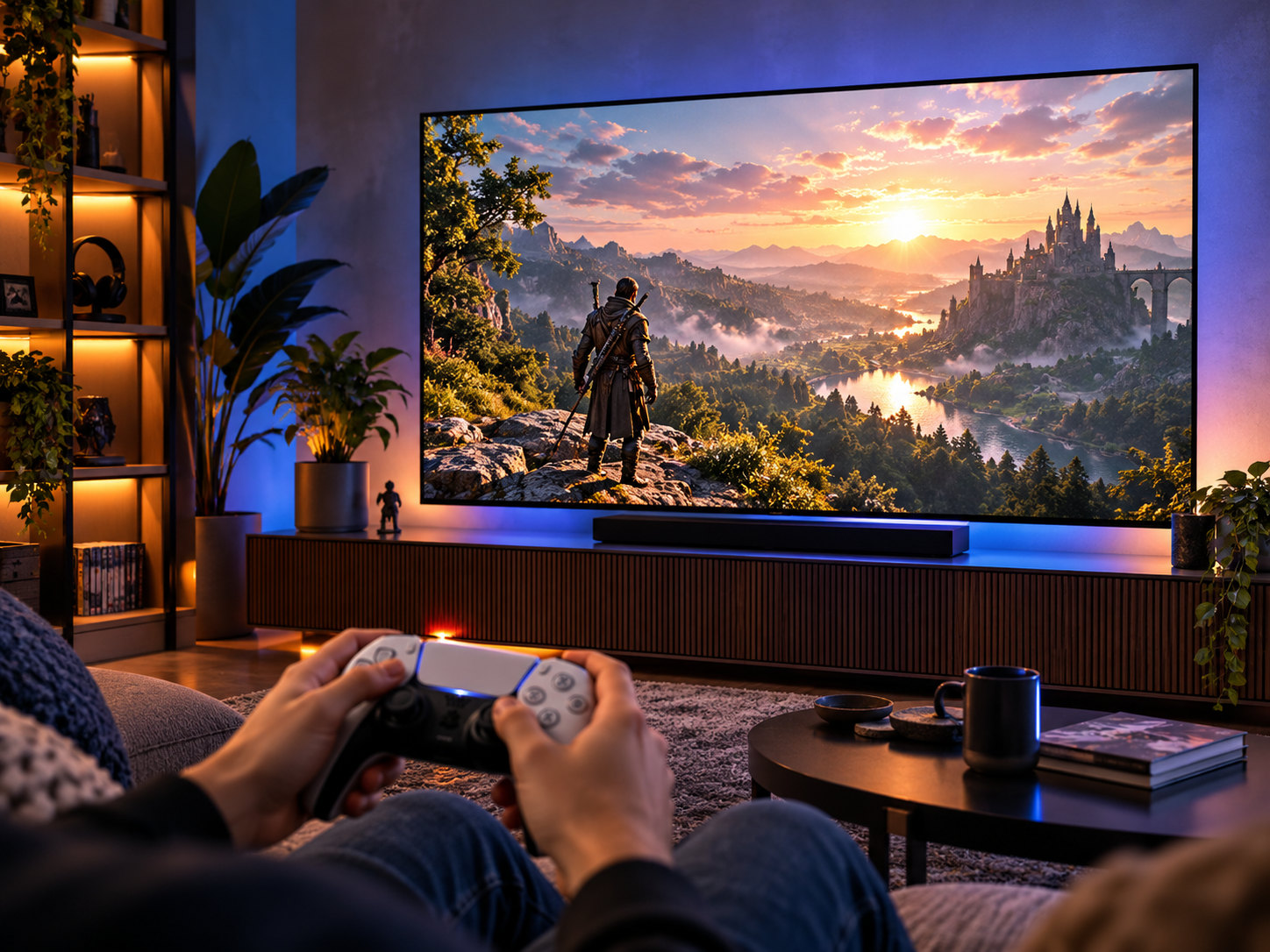
HGiG is not a competing video codec like Dolby Vision. It is guidance for cooperation between a game system and HDR display. In an HGiG picture mode, the TV applies tone mapping in a way that lets a suitable game or console adapt the HDR presentation within the stated display capabilities.
Dolby Vision Gaming can be available on suitable Xbox/PC/display combinations, but it is not universally available. For a good gaming experience it is often more important that 4K120, VRR, low input lag and correct HDR calibration work reliably. A screen supporting Dolby Vision films does not automatically offer every Dolby Vision gaming mode at every refresh rate.
13. Practical example: LG OLED65GX6LA
The LG OLED65GX6LA from the 2020 GX series supports HDR10, HLG and Dolby Vision IQ. LG uses marketing names such as HDR10 Pro for its HDR10 processing, but that is not the same as HDR10+ support. The GX therefore does not support the HDR10+ metadata format offered by some other brands. [3]
The television has a 10-bit OLED panel. Its natural black level gives HDR substantial contrast impact, but of course the screen has less brightness headroom than a professional 1,000- or 4,000-nit mastering monitor. Good tone mapping is therefore essential.
Recommended fixed settings
If you do not want to switch profiles every day, you can configure the three signal types separately once. The LG then automatically recognises whether the source provides SDR, HDR10 or Dolby Vision.
| Content type | Picture mode | Recommended starting point |
|---|---|---|
| Ordinary TV / SDR | ISF Expert (Bright Room) | OLED Light about 60; Contrast 85; Brightness 50; Warm2; Gamma 2.2 |
| HDR10 films and series | Cinema | OLED Light 100; Contrast 100; Brightness 50; Warm2; Peak Brightness High; start with Dynamic Tone Mapping Off |
| Dolby Vision films and series | Cinema | Initially retain Dolby Vision defaults; choose Warm2 where adjustable |
| Games in HDR10 | HDR Game | Run the console’s HDR calibration; use HGiG where appropriate and available |
These values are practical starting points, not measurements for an individual television. OLED light output in SDR depends particularly on the room. RTINGS measured and reviewed the 2020 GX: Cinema is the recommended Dolby Vision baseline, whereas Cinema Home can look brighter but may be less dependable in dark scenes. [11]
Should HDR10 Dynamic Tone Mapping be on or off?
My starting recommendation for faithful film viewing is Off. The TV can work with the baseline metadata and its fixed HDR approach. If the television is in a bright living room and someone finds certain HDR10 films too dark, On may be more appealing. That is a conscious preference for visibility or impact, not automatically a more accurate rendition.
For Dolby Vision, you need not copy the HDR10 tone-mapping choice in the same way. It has a separate picture mode with its own Dolby processing. For a stable profile without needless adjustment, I would keep Dolby Vision Cinema.
And Dolby Vision IQ during the day?
Cinema Home and ambient-light processing can produce a brighter image on the GX. That is an option, but I would not use it as a permanent reference when faithful black reproduction has priority. Choose one consistent mode and let it work. [7][11]
14. Common problems and solutions
| Symptom | Likely explanation | What should you check? |
|---|---|---|
| Dolby Vision logo does not appear | App, subscription, title, player or HDMI chain does not support it | Title label, device settings and HDMI route |
| HDR is much darker than SDR | PQ is mastered differently; limited panel brightness; wrong mode | Cinema versus Cinema Home, energy saving, room light |
| Black looks grey | Incorrect RGB range or raised black level | HDMI black level, player, picture preset |
| Dark details disappear | Black crush, compression or tone mapping | Shadow test, source, correct Brightness 50 |
| Bright clouds are featureless white | Highlight clipping from tone mapping or mastering | Cinema mode, DTM setting, identical source |
| Colour bands appear in a sky | Compression, limited bit depth, post-processing | Another source; use Smooth Gradation cautiously |
| TV remains in HDR10 | One link does not support Dolby Vision | Receiver, switch, player profile, HDMI mode |
| Colour is too intense | Vivid preset or overly wide gamut | Cinema, Warm2, Auto colour gamut |
Diagnostic order: first try a built-in streaming app with a title known to be available in Dolby Vision. Only then compare the same title on an external streamer. This can rule out many HDMI and receiver problems.
15. Six HDR misconceptions
‘Dolby Vision always means a 12-bit picture’
Incorrect. The Dolby Vision specification can work with 12-bit information, but many consumer streams and TV panels are 10-bit. Format capability is not panel capability. [5]
‘Dolby Vision is always brighter than HDR10’
Incorrect. Dynamic metadata may improve the distribution of brightness, but it cannot create additional physical nits on the television. Actual brightness also depends on the grade and selected picture mode.
‘HDR10 uses the same tone mapping for every scene’
Not necessarily. HDR10 supplies static metadata, but a TV can perform its own dynamic tone mapping through picture analysis. The distinction concerns supplied metadata, not an absolute prohibition on dynamic processing.
‘LG’s HDR10 Pro is the same as HDR10+’
No. HDR10 Pro is an LG name for its own HDR10 picture processing. HDR10+ is a different, explicitly defined metadata format. [3][8]
‘If a film is 4K, it is HDR’
No. 4K describes pixel resolution. A film can be 4K SDR, 4K HDR10 or 4K Dolby Vision. Conversely, HDR can appear at resolutions below 4K.
‘A screenshot shows which HDR format looks better’
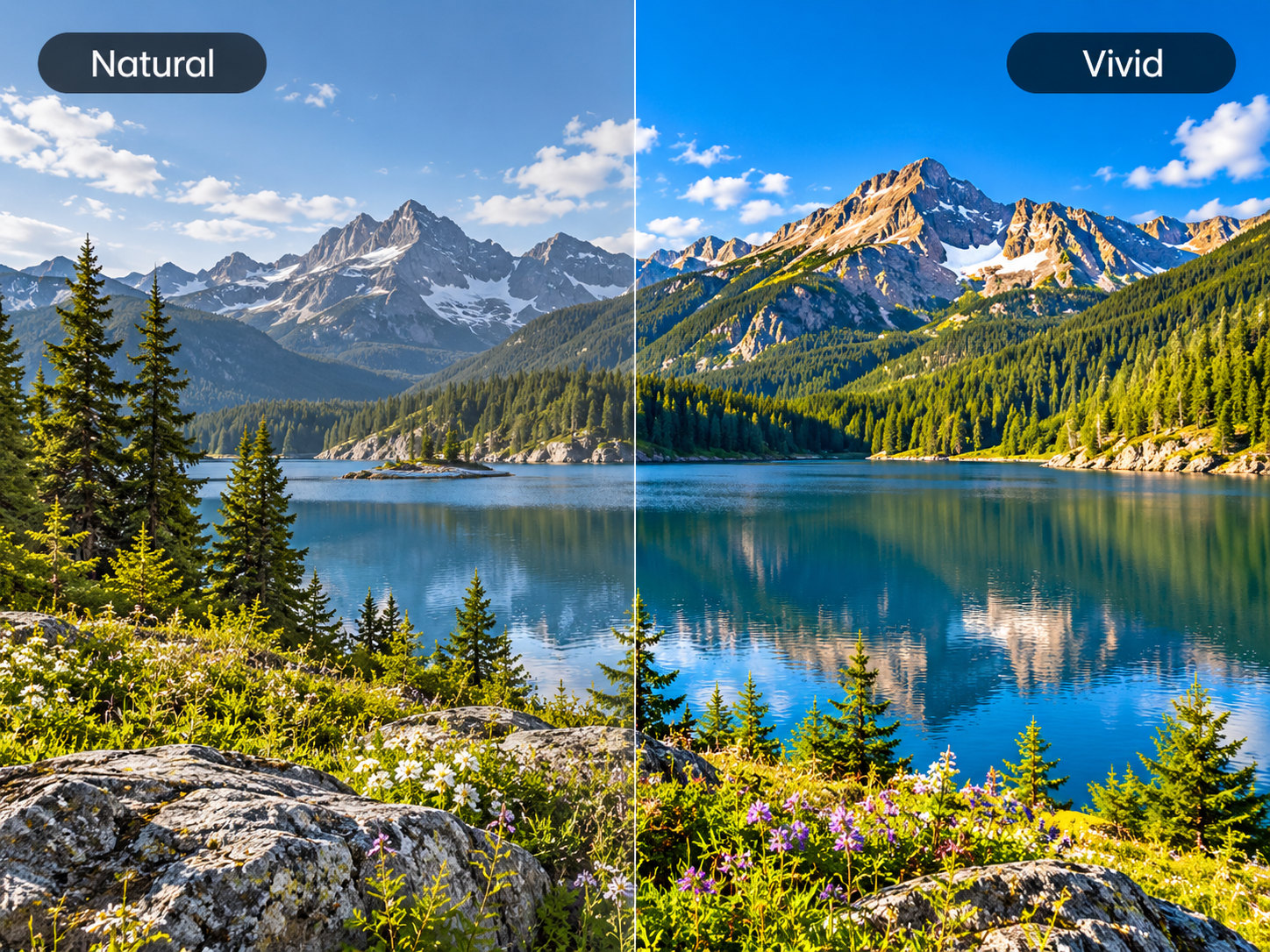
No. An ordinary web image has no control over the reader’s HDR display. Split-screen illustrations can at most explain what to look for; they do not prove what a TV actually displays.
16. Conclusion: which HDR format should you choose?
On paper and in the production workflow, Dolby Vision benefits from dynamic metadata and more targeted content mapping. That can be particularly useful in difficult transitions between very bright and dark scenes. HDR10 nevertheless remains a full-featured, excellent HDR format, and a well-calibrated HDR10 presentation can come very close to Dolby Vision.
The sensible choice is therefore not to ‘force everything to Dolby Vision’. Configure your TV properly once, then use the native HDR version that the source reliably supplies. The television usually selects the correct picture mode itself. A wrongly forced Dolby Vision signal may cause more trouble than a normal, correct HDR10 stream.
Checklist for the reader
- Check whether the television supports HDR10 and, optionally, Dolby Vision.
- Choose Cinema or another accurate picture mode rather than Vivid.
- Allow the TV to identify SDR, HDR10 and Dolby Vision automatically.
- Configure HDR10 and Dolby Vision once each rather than adjusting controls daily.
- Check the entire HDMI chain and signal settings for external devices.
- Compare source quality and bitrate before attributing differences to the HDR format.
- Do not copy 20-point white balance or RGB corrections from another television without measurement equipment.
- Do not use picture-comparison illustrations as objective HDR quality tests.
For the LG OLED65GX6LA: HDR10 Cinema and Dolby Vision Cinema are my fixed film profiles. Configure each once. The television then switches automatically according to the incoming video, without requiring you to keep changing picture modes in practice.
17. Sources and further reading
[1] ITU-R BT.2100, Image parameter values for high dynamic range television — https://www.itu.int/rec/R-REC-BT.2100
[2] Dolby, The difference between HDR10 and Dolby Vision — https://www.dolby.com/experience/home-entertainment/articles/the-difference-between-hdr10-and-dolby-vision/
[3] LG, official OLED65GX6LA specifications — https://www.lg.com/uk/tvs-soundbars/oled/oled65gx6la/
[4] ITU, High dynamic range television for production and international programme exchange — https://www.itu.int/hub/publication/r-rep-bt-2390-7-2019/
[5] RTINGS, HDR10 vs HDR10+ vs Dolby Vision — https://www.rtings.com/tv/learn/hdr10-vs-dolby-vision
[6] Dolby Professional, Dolby Vision Metadata Levels — https://professionalsupport.dolby.com/s/article/Dolby-Vision-Metadata-Levels
[7] Dolby Professional, Dolby Vision IQ: Content Type Metadata — https://professionalsupport.dolby.com/s/article/Dolby-Vision-IQ-Content-Type-Metadata-L11?language=en_US
[8] HDR10+ Technologies, official FAQ — https://hdr10plus.org/hdr10-faq/
[9] HDR10+ Technologies, HDR10+ Advanced — https://hdr10plus.org/hdr10-advanced-faq/
[10] Netflix Help Centre, How to get the best video quality — https://help.netflix.com/nl/node/13444
[11] RTINGS, LG GX OLED Calibration Settings — https://www.rtings.com/tv/reviews/lg/gx-oled/settings
Editorial note: the photo-like images in this article are AI-generated atmospheric illustrations. Diagrams are educational, not measurement results. This article offers practical picture optimisation; an individual television can be measured with suitable equipment for reference calibration.