
Your home does not need to contact the internet before it can turn on a light. With local control, as many commands, automations and data as possible stay inside your home. Cloud services can still be useful, but they do not have to be the foundation of everything.

What does cloud mean in a smart home?
With a cloud-dependent device, a command often travels over the internet to the manufacturer's server. That server sends the command back to the device. With local control, the route stays inside your home: sensor or app, local system, light or thermostat. That difference affects speed, privacy and what happens when the internet or an external service fails.
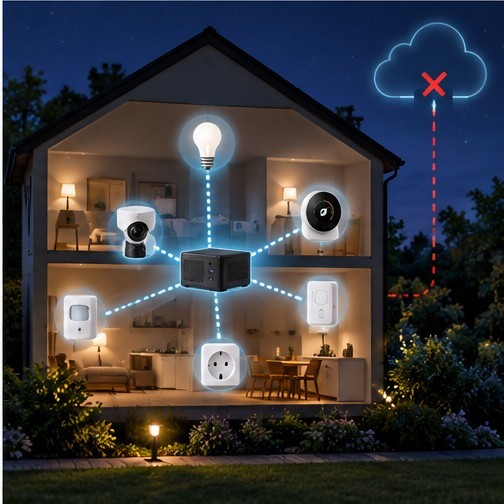
| Cloud route | Local route |
|---|---|
| Motion → internet → manufacturer → internet → light | Motion → local hub → light |
Important: local does not mean never using the internet. Updates, weather information, voice services and control away from home can still use it.
More privacy through local control
A smart home can reveal a surprising amount about daily life: when you are home, when the front door opens, which rooms are in use, when the heating runs and sometimes energy use, camera footage or location data. If devices communicate directly with your own Home Assistant system, much of that data need not pass through an external server. Home Assistant stores data on your own hardware and uses local device connections where possible.
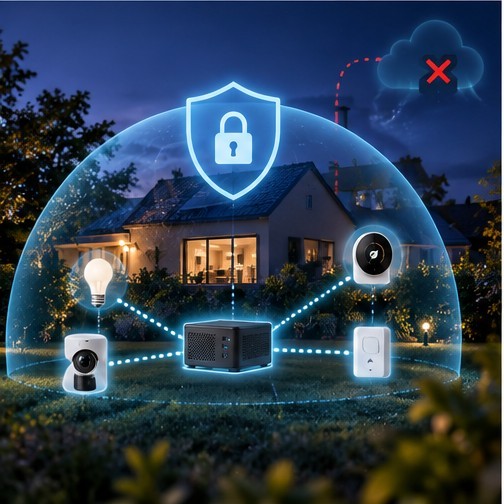
The practical benefits include:
- Less data needs to leave your home.
- You depend less on the privacy policies of multiple manufacturers.
- You have more control over history, sensors and automations.
- You can choose local operation where possible and cloud services where useful.
Local does not automatically mean secure. Strong passwords, updates, backups and a sound home network still matter.
Faster responses without an unnecessary detour
A motion sensor that reports through Zigbee or another local connection can trigger an automation as soon as you enter the hallway. No request has to travel to a data centre and back. This reduces dependence on your internet connection and often cuts noticeable delay. Lights, buttons, door and window sensors and alerts can therefore feel much more immediate.
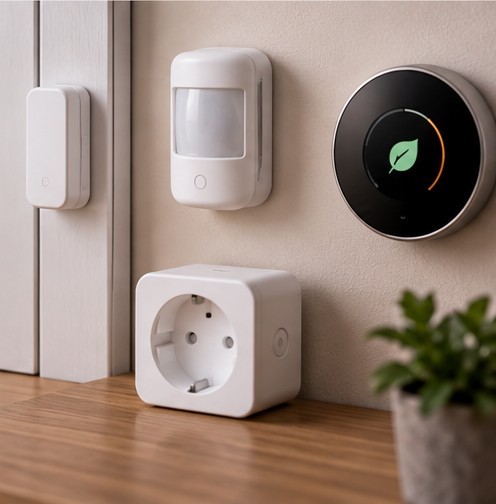
You notice it when a light reacts directly to motion, a door sensor starts an automation immediately or a local dashboard opens quickly even without internet. A short delay rarely matters for a weather report; it does matter for a light switch.
What still works when the internet goes down?
Home Assistant runs on hardware in your home. Local lights, sensors, plugs and automations can keep responding when the internet connection is lost. Technologies such as Zigbee, Z-Wave, Matter, Thread and ESPHome can work without internet for ordinary local control. A motion sensor can still switch on the light, and local thermostat control can continue.
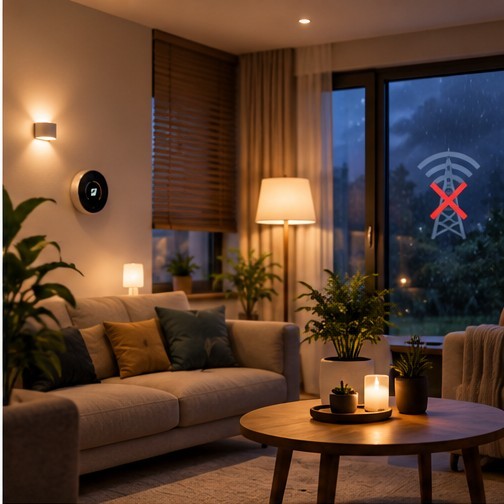
Some functions may stop or become limited:
- Devices that work only through their manufacturer's cloud.
- Weather data, online electricity prices and other internet services.
- Voice services and integrations that require an online service.
- Control from outside your home when remote access depends on the internet.
As a rule, the more essential functions work locally, the less an internet outage affects everyday life.
What do you need for a local foundation?
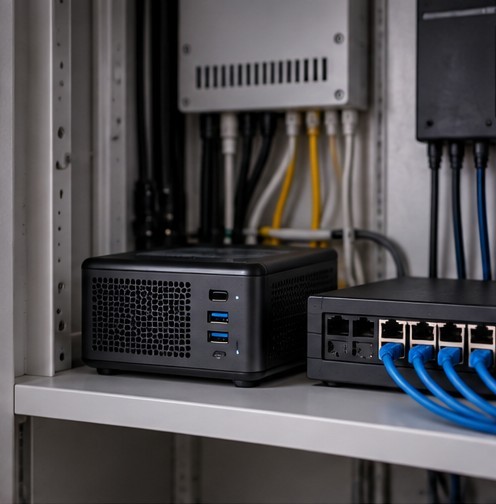
You do not need a server room. Start with one central device: Home Assistant can run on Home Assistant Green, a Raspberry Pi or a small PC, for example. That controller reads sensors, runs automations and controls devices. Reliable operation and regular backups matter more than maximum processing power.
Then choose devices that can communicate locally:
- Zigbee is popular for sensors, lights and smart plugs.
- Thread and Matter are modern standards with local control as an important principle.
- ESPHome is useful for DIY sensors and small projects.
- Wi-Fi can work locally when the device supports a local integration.
Before buying: “works with app X” does not tell you whether a device works locally. Check whether it can talk directly to Home Assistant or requires the manufacturer's cloud.
Why is Home Assistant a good fit?
Home Assistant is built around local control and choice. It runs on your own hardware, can control locally reachable devices directly and keeps local automations running without internet. Devices from different brands can come together in one system. Cloud features remain optional, for example for easy remote access or certain voice assistants.
It does not have to be all or nothing. A locally controlled smart home can use online features; the advantage is that its foundation need not depend unnecessarily on an external server.
The drawbacks of working locally
More control also brings responsibility:
- You maintain the system. Updates, backups and some ongoing care are part of the deal.
- Not every device works locally. Cloud-centred products may lose features without internet.
- Remote access must be set up securely. A managed option such as Home Assistant Cloud is straightforward for beginners; experienced users can choose another secure method.
- You keep hardware at home. A local controller consumes power and can fail, so backups matter.
A practical middle ground is local control for lighting, sensors, heating and automations, with cloud services only where they provide a real benefit.
How to start, step by step
- Choose one problem. For example, automatic lighting, a window sensor or energy monitoring.
- Choose a central platform. Home Assistant on suitable hardware makes sense if you want to combine brands.
- Buy devices that work locally. Check how they communicate and whether a cloud service is mandatory.
- Start with one local protocol. Zigbee is an approachable choice for many beginners using sensors and switches.
- Create one automation. For example: if motion is detected and it is dark, turn on the light.
- Test without internet. Temporarily disconnect your internet and see which essential functions keep working.
- Make backups. A smart home is only dependable if you can restore it after a failure.
If you barely notice your automations after a few weeks, you have probably set up the foundation well.
Must a smart home avoid the cloud completely?
No. For many people, a hybrid approach works best: local control for fast, reliable functions; local storage for data you prefer to keep at home; and cloud services for features that genuinely require the internet. Choose devices that will not become useless if a manufacturer shuts down a service. You do not need to oppose the cloud; you decide which data and functions leave your home.
Sources and further reading
- Home Assistant: smart-home data privacy
- Home Assistant: working without internet
- Home Assistant: remote access
- Home Assistant: security
- Home Assistant: local-control glossary
This beginner's guide is based on the supplied September 2026 source. Exact capabilities depend on the brand, device and integration.